
Common 3D Printer Buying Mistakes and How to Avoid Them
Introduction

Buying a 3D printer is exciting, but it is also easy to make the wrong choice. The cheapest machine may become frustrating, the biggest printer may be unnecessary, and the most advanced model may be harder to maintain than expected.
This guide looks at common mistakes people make when buying 3D printers and explains how to avoid them. It is written for beginners who want useful, realistic advice rather than hype.
Mistake 1: Buying purely on price
A very cheap 3D printer can be tempting, especially if you are not sure whether you will use it often. The problem is that the lowest-cost models may require more assembly, tuning and troubleshooting. That can be fine for hobbyists who enjoy tinkering, but frustrating for people who mainly want to print.
Instead of choosing the cheapest option, look for value. A slightly more expensive printer with automatic bed levelling, a stable frame and good community support may save hours of frustration.
Mistake 2: Choosing the wrong printer type
Most home buyers choose between FDM and resin printers. FDM printers use filament and are good for practical parts, larger objects and general learning. Resin printers produce fine detail, which suits miniatures and decorative models, but they involve liquid resin, cleaning and curing.
If you want household fixes, prototypes or larger prints, FDM is usually the easier start. If you want tabletop miniatures or highly detailed models, resin may be better, but only if you are comfortable with the handling process.
Mistake 3: Ignoring build volume
Build volume tells you the maximum size of object the printer can make in one piece. Bigger sounds better, but large printers need more space and may take longer to tune. Many beginners overbuy here.
Think about what you will actually print. Small toys, brackets, cases and replacement parts do not require a huge machine. Larger cosplay pieces, helmets or prototypes may justify a bigger print area.
Mistake 4: Underestimating the learning curve
3D printing is not quite as simple as pressing print on a paper printer. You will learn about slicer settings, bed adhesion, supports, filament types, temperatures and print orientation. Even user-friendly printers need some understanding.
Choose a model with beginner-friendly software, clear documentation and a strong user community. This matters more than a long list of advanced features you may not use for months.
Mistake 5: Forgetting maintenance
Printers are mechanical devices. Belts may need adjustment, nozzles clog, beds need cleaning and moving parts require inspection. Ignoring maintenance leads to poor prints and unreliable results.
Look for a printer with available spare parts and simple access to consumables. A common nozzle, standard filament path and replaceable build surface are all practical advantages.
Mistake 6: Not budgeting for extras
The printer is only part of the cost. You may need filament, spare nozzles, build plates, tools, storage containers and cleaning materials. Resin users also need gloves, isopropyl alcohol or washing systems, curing equipment and safe ventilation.
Set aside part of your budget for accessories. A well-supported mid-range printer with the right supplies is often better than a more expensive printer with no budget left for materials.
Mistake 7: Believing speed claims too easily
Fast printers are appealing, but speed claims can be misleading. A printer may move quickly in demonstrations but still need slower settings for strong, accurate or detailed prints.
For beginners, reliability and print quality usually matter more than maximum speed. A failed fast print wastes more time than a slower successful one.
Mistake 8: Ignoring noise and space
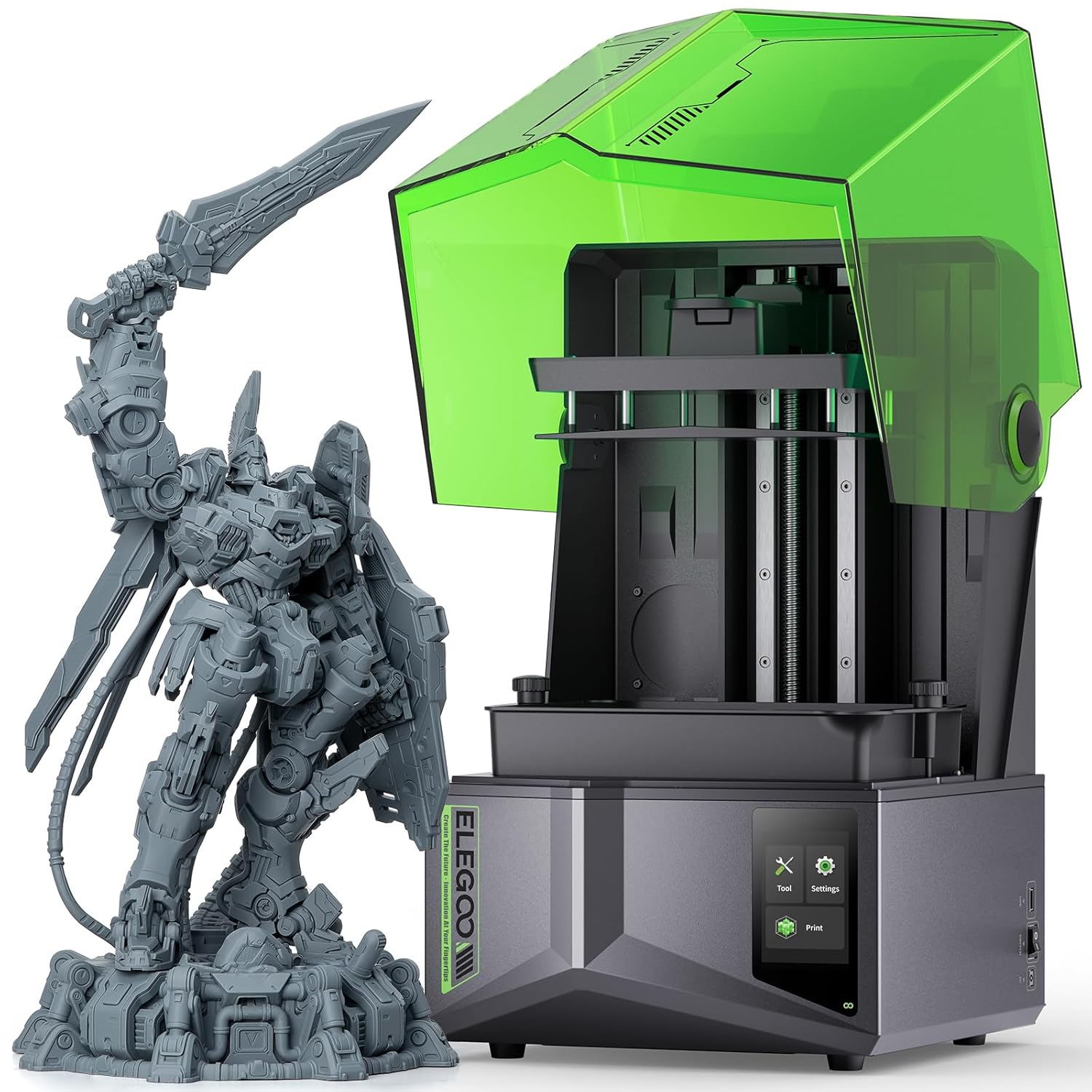
Some 3D printers are noisy enough to be annoying in a living room or bedroom. They also need a stable surface, ventilation and enough clearance for the bed or gantry to move.
Before buying, decide where the printer will live. A garage, office or utility area may be better than a bedroom, especially for long overnight prints.
Mistake 9: Choosing obscure brands with weak support
Unusual brands can sometimes offer good value, but weak support makes repairs and troubleshooting harder. Popular models usually have more guides, replacement parts, profiles and community advice.
For a first printer, a strong ecosystem is a major advantage. It means you can search for answers when something goes wrong.
Mistake 10: Expecting perfect prints immediately
Every beginner gets failed prints. Warping, stringing, layer shifts and poor adhesion are part of the learning process. This does not mean you bought the wrong printer.
Start with simple models, use recommended filament and change one setting at a time. Keep notes so you know what improved or worsened results.
Internal links and related categories
Alongside 3D printers, it may be useful to browse computers, tablets and printers for related devices, especially if you need a computer for slicing software or design work.
Buying checklist
- Choose FDM for general practical printing and resin for fine detail.
- Do not buy purely on headline price.
- Check build volume against real projects.
- Budget for filament, tools and spare parts.
- Prioritise support, reliability and community help.
- Plan where the printer will sit.
- Expect a learning period.
The right 3D printer is the one that matches your projects, patience and workspace. Buy for realistic use, not just the most impressive specification sheet.
Mistake 11: Ignoring filament compatibility
Not every FDM printer handles every filament well. PLA is the easiest beginner material, while PETG, ABS, TPU and composite filaments can require higher temperatures, enclosed print areas or slower settings. Buying a printer because it technically supports a material is not the same as knowing it prints that material reliably.
If you mainly want simple home projects, PLA and PETG support may be enough. If you want stronger functional parts, flexible prints or heat-resistant objects, check hotend temperature, bed temperature and enclosure options carefully.
Mistake 12: Overlooking safety and ventilation
3D printers should be used sensibly. FDM printing can produce smells and fine particles depending on material, while resin printing involves chemicals that require gloves, ventilation and careful cleanup. A printer placed in a poorly ventilated bedroom is rarely ideal.
Plan a safe workspace before buying. Keep printers away from pets and children, avoid leaving unfamiliar machines unattended for long periods, and follow manufacturer guidance for material handling. Safety does not need to be intimidating, but it should be part of the buying decision.
Mistake 13: Not thinking about software
Slicer software turns a 3D model into printer instructions. Some brands offer simple beginner software, while others rely on broader third-party tools. Good software profiles can make early printing much easier.
Before buying, check whether the printer has proven slicer profiles, active updates and clear setup guides. A machine with excellent hardware but awkward software can slow down learning, especially for beginners who do not yet understand every setting.
Practical solution: buy for your first six months
A useful rule is to buy for the projects you expect to make in the first six months, not for a fantasy workshop you may never build. A reliable, well-supported printer that helps you learn is better than a complicated machine bought for theoretical future use.