
Beginner’s Guide to 3D Printers and 3D Printing: Everything You Need to Start
Beginner’s Guide to 3D Printers and 3D Printing
3D printing is one of the most useful “learn by doing” hobbies you can start at home. The first day can feel confusing (settings, levelling, filament types), but once you understand the basics, you’ll be able to print practical parts, prototypes, repairs, and fun projects with confidence.
This guide is written for complete beginners. We’ll cover what a 3D printer is, what type to choose, the materials you should start with, the software you need, and the most common mistakes — plus a simple first-print checklist.
What Is 3D Printing?
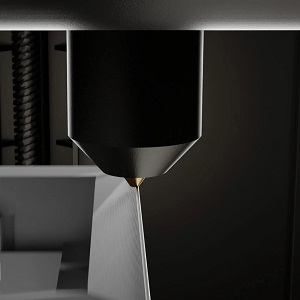
A 3D printer creates a physical object by building it up in thin layers from a digital design. The most common type for home use is an FDM printer (also called filament printing). It works a bit like a glue gun on rails: a heated nozzle melts plastic filament and lays it down precisely to form each layer.
To 3D print something, you typically:
- Choose or design a 3D model (often an STL file).
- Use a slicer program to turn that model into printer instructions.
- Send the file to the printer, then the printer builds it layer by layer.
Filament (FDM) vs Resin (SLA): Which Is Best for Beginners?
Most beginners should start with filament (FDM) printing because it is simpler, cheaper, and more forgiving.
- FDM (filament): Great for functional parts, home projects, larger items, and general learning. Minimal mess and easy cleanup.
- Resin (SLA/MSLA): Excellent detail (miniatures, jewellery), but involves liquid resin, fumes, gloves, washing/curing steps, and more safety considerations.
Recommendation: Start with FDM unless you specifically need extremely fine detail and are prepared for the extra workflow.
What to Look For in a Beginner 3D Printer
Specs can be overwhelming, so focus on the few things that matter most for a good first experience:
- Reliability: A stable frame and consistent extrusion matter more than flashy features.
- Easy setup: Clear instructions, decent interface, and good community support help a lot.
- Bed levelling help: Manual levelling is learnable, but assisted or automatic levelling can reduce early frustration.
- Build size: Bigger is not always better. Start with a size that fits your space and what you want to print.
- Community and spares: Popular printers have more guides, troubleshooting advice, and readily available parts.
Filament for Beginners: Start With PLA
Filament choice makes a huge difference to success. Beginners should start with PLA:
- PLA: Easiest to print, low warping, good for learning and most household items.
- PETG: Stronger and more heat-resistant, but can be stringier. A good second filament.
- Avoid at first: ABS/ASA/nylon (often need enclosure, ventilation, and more tuning).
Tip: Use one brand of PLA consistently at the start, so you’re not chasing problems caused by changing materials.
Software: What Is a Slicer?
A slicer is the program that converts a 3D model into printer instructions (commonly called G-code). It decides how each layer is built and lets you control the main print settings.
Beginner-friendly approach:
- Start with the printer’s recommended profile (presets are your friend).
- Only change one setting at a time if you’re troubleshooting.
- Keep notes of what you changed and what happened.
Safety, Space, and Setup
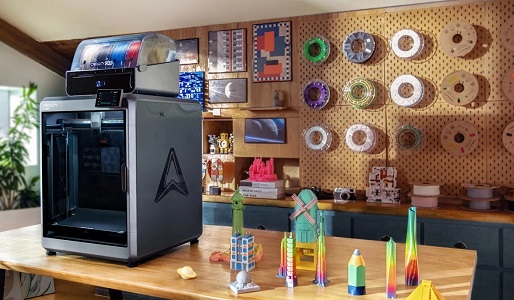
3D printers are generally safe when used sensibly. A few practical tips go a long way:
- Stable surface: Put the printer on a rigid desk/table to reduce vibration.
- Clear space: Leave room for the bed to move and for airflow around the machine.
- Heat: Nozzles and beds get hot. Keep kids and pets away during prints.
- Ventilation: PLA is typically fine in a normal room, but avoid printing in very small unventilated spaces. If printing smelly materials later, increase ventilation.
Your First Print: A Simple Success Checklist
Here’s a beginner checklist that dramatically improves first-print success:
- Level the bed (or run the levelling routine if your printer has it).
- Clean the bed surface (finger grease ruins adhesion).
- Load PLA and confirm it extrudes smoothly.
- Use a known test model (calibration cube or a small, simple print).
- Watch the first layer — this is the most important part of the entire print.
If the first layer sticks cleanly and evenly, most prints will succeed.
Common Beginner Problems (and What They Usually Mean)
- Print won’t stick: Bed not level, bed is dirty, nozzle too far from bed, or first-layer speed too high.
- Stringing (wispy threads): Temperature too high, retraction needs adjustment, or filament is damp.
- Gaps or weak layers: Under-extrusion, partial clog, or printing too cold/fast.
- Warping corners: Bed adhesion issue, drafts, or unsuitable material settings.
- Messy first layer: Nozzle too close (scraping) or too far (spaghetti).
Tip: Change one thing at a time. Beginners often make it harder by changing five settings at once.
What Can You Print as a Beginner?
Once you’re comfortable, you can make genuinely useful things:
- Phone stands and desk organisers
- Cable clips and hooks
- Replacement knobs, brackets, and covers
- Tool holders and workshop accessories
- Simple prototypes and project enclosures
Buying Tips: How to Choose Without Overthinking
If you’re choosing your first printer, prioritise:
- Support and community: More tutorials = faster learning.
- Consistency over speed: Reliable prints beat fast failures.
- Beginner-friendly features: Assisted levelling and good presets reduce frustration.
As your skills grow, you can always upgrade. The best first printer is the one that makes you want to keep printing.
Final Thoughts
3D printing is easiest when you keep the early steps simple: print PLA, watch the first layer, and learn from small test prints. Once the basics click, you’ll be surprised how quickly you go from “I have no idea what I’m doing” to confidently making useful things at home.